# 云开发存储:实现留言本附件上传
## API说明
云开发中云函数[文档说明](https://developers.weixin.qq.com/minigame/dev/wxcloud/reference-http-api/functions/),可以先阅读原始http api需要的参数以及说明
**基本流程:**
1. 创建云函数
1. 通过微信开发者工具编写云函数
1. 利用SDK实现云函数的调用
云函数调用主要使用到了sdk中 `InvokeCloudFunction` 方法的使用:
```go
func (tcb *Tcb) InvokeCloudFunction(env, name, args string) (*InvokeCloudFunctionRes, error)
```
**参数说明:**
1、第一个参数为云开发的环境
2、第二个参数为云函数名称
3、第三个参数为需要传入的参数,这里传入一个json,方便在云函数中接收并处理,函数的返回值也是json
**
**返回结果:**
```go
type InvokeCloudFunctionRes struct {
util.CommonError
RespData string `json:"resp_data"` //云函数返回的buffer
}
```
> util.CommonError :包含了errcode和errmsg字段,因为微信http api中的返回结果都会包含这两个字段,所以作为了一个公共的struct
这里演示如何通过云函数实现对文本内容的过滤,比如对关键字的过滤。
## 创建一个云函数
打开微信开发者工具,在cloudfunctions中创建一个filterText云函数:
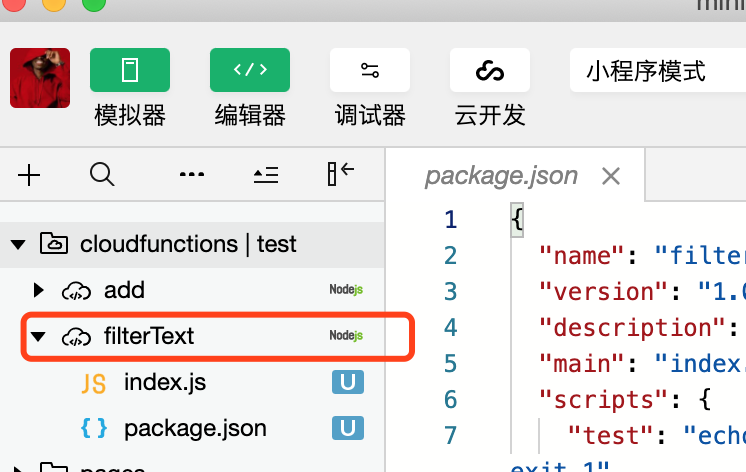
其中index.js文本内容实现了对关键字的替换,内容如下:
```javascript
// 云函数入口文件
//敏感词
var keywords = ["色情"]
// 云函数入口函数
exports.main = async(event, context) => {
let {
text
} = event
keywords.map(word => {
let regExp = new RegExp(word, 'g')
text = text.replace(regExp, "****")
})
return {
text
}
}
```
这里实现了对关键字 `色情` 替换为 `****` 。
## 调用云函数
在feedbackService中创建FilterText函数实现对云函数的调用,传入原始文本内容,返回最终过滤之后的内容。
```go
//FilterRes 过滤文件的结果
type FilterRes struct {
Text string `json:"text"`
}
//FilterText 调用云函数过滤文本
func (svc *FeedbackService) FilterText(text string) (string, error) {
res, err := getTcb().InvokeCloudFunction(getConfig().TcbEnv, "filterText", fmt.Sprintf(`{"text":"%s"}`, text))
//返回的是json
filterRes := &FilterRes{}
err = json.Unmarshal([]byte(res.RespData), filterRes)
if err != nil {
return "", nil
}
return filterRes.Text, nil
}
```
这里将云函数调用的返回值保存在FilterRes struct中。
最后再 feedbackService中的 `Save` 对Content内容进行替换:
```go
//Save 保存内容
func (svc *FeedbackService) Save(feedback *Feedback) error {
.....
//content 调用云函数过滤
var err error
feedback.Content, err = svc.FilterText(feedback.Content)
if err != nil {
return err
}
....
}
```
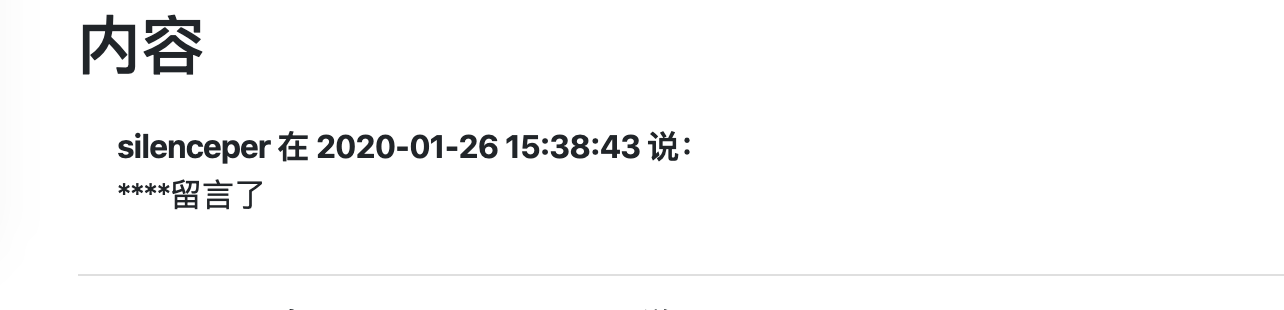
最终的效果如下,当我们输入了含有关键字的留言内容最终就会被替换为****: